









When you purchase one of our CodeCanyon products, your feedback is very important to us. A 5-star rating not only motivates our team but also helps other customers trust the quality of our work.
The good news is — leaving a rating on CodeCanyon is very simple, even if you're not a technical person. Just follow the easy steps below!
Steps to Give a 5-Star Rating on CodeCanyon
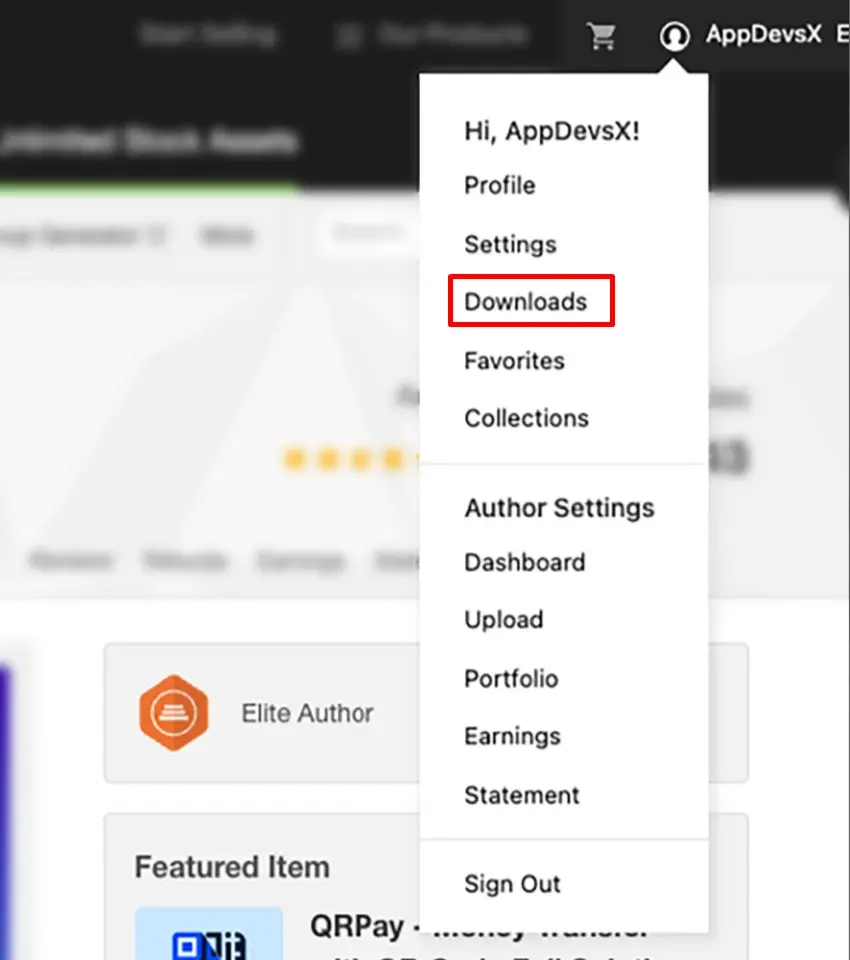
Step 1: Go to Your Downloads Page
After logging in to your CodeCanyon account, click “Downloads” in the top menu.
This page contains all the items you have purchased.
Step 2: Find the Product You Purchased
Next to the product, you will see several options.
After you download the item, a “Rate this item” button will appear.
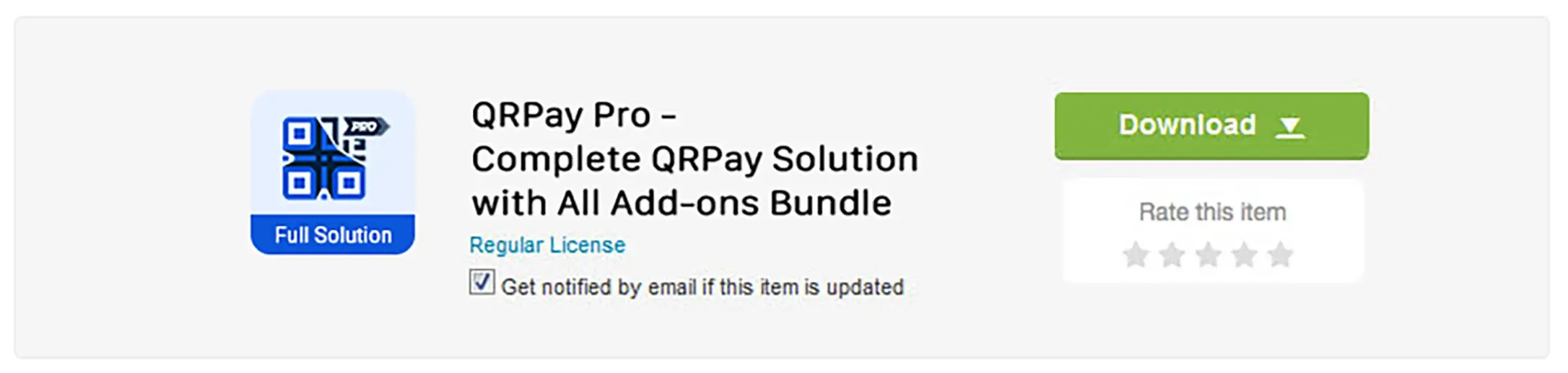
Step 3: Click “Rate this item”
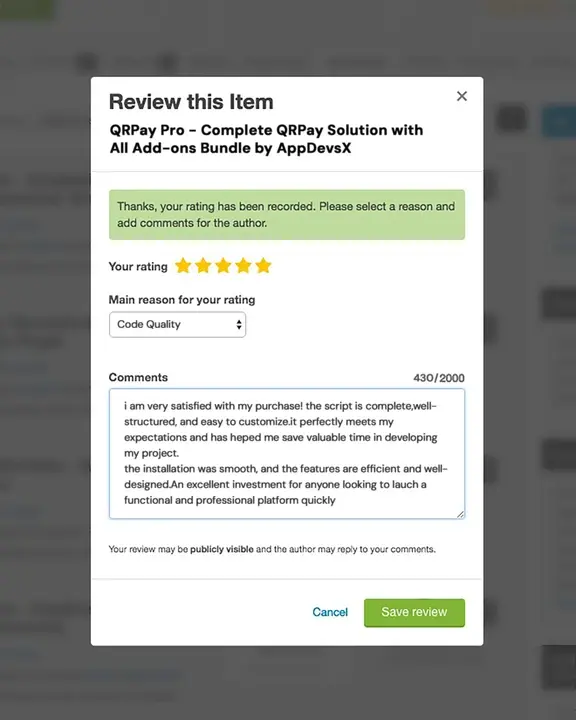
When you click it, a small pop-up window will open.
Here, you can select the number of stars you want to give — we hope you choose 5 stars ⭐⭐⭐⭐⭐ if you’re happy with our product and support!
Step 4: Share Your Valuable Feedback
After selecting your rating, you can write a short review describing your experience.
Type your message and click “Save review”.
That’s it! Your rating and feedback will instantly appear on the product page, just like the example shown in the image.

💬 Why Your Review Matters
Your rating helps us continue improving our products and providing better support. It also helps new customers feel confident when choosing our solutions. If you enjoy our product, taking just a minute to leave a 5-star review truly makes a difference.
Thank you for your support!