








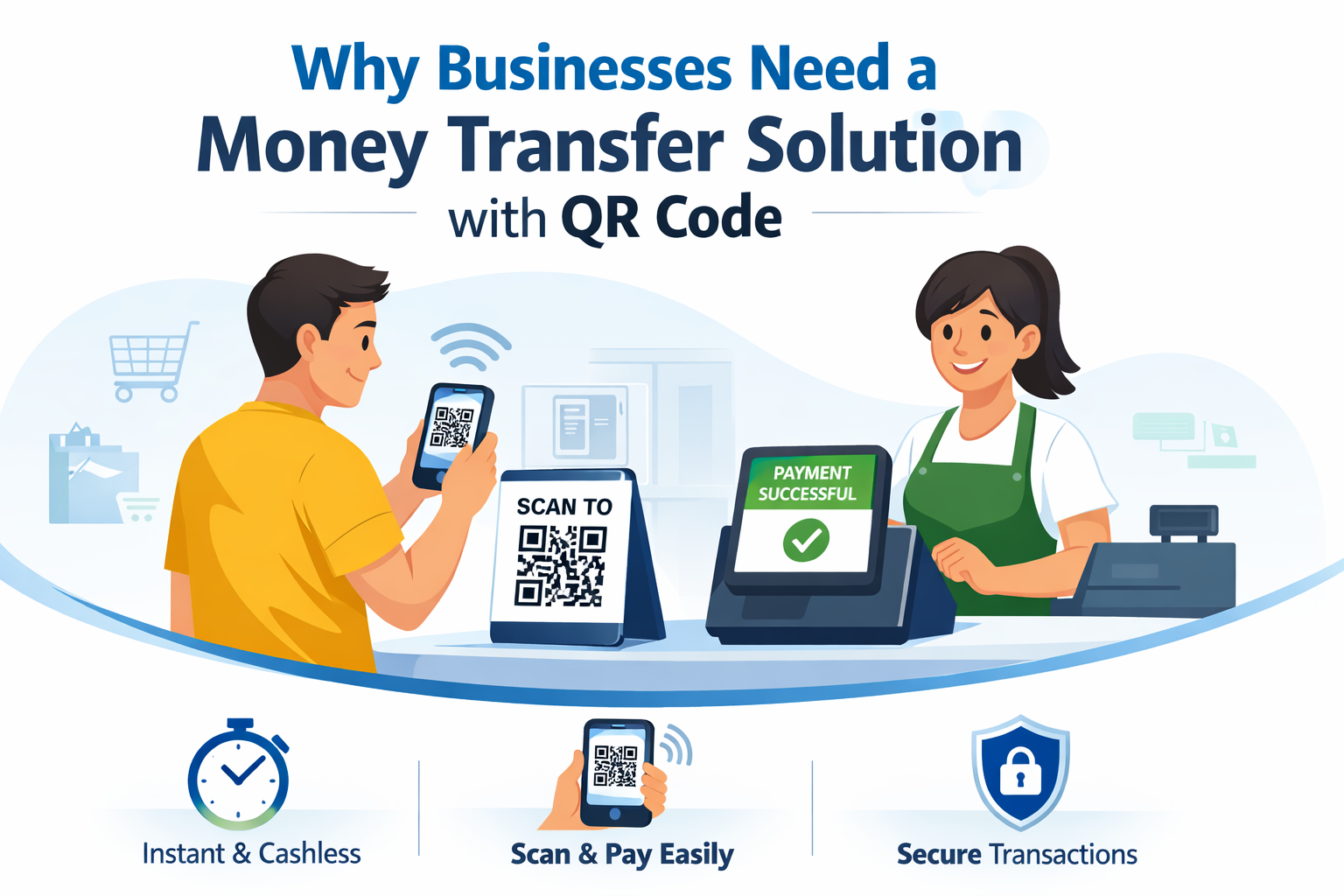
If you’re a business owner or a developer, you’re already seeing the shift: customers now expect payments to be instant, cashless, and contactless. They don’t want to type long bank account numbers or wait for slow confirmations. They want to scan, pay, and move on.
That’s exactly what a Money transfer solution with QR Code delivers.
With a simple scan, your customer can transfer funds or pay a merchant in seconds. No card swipes, no manual input, and far less friction. Instead of building such a system from scratch, you can use QRPay Pro, a complete digital wallet and QR-based payment ecosystem, designed so you can launch your own FinTech-style business quickly, while developers get a clean, scalable architecture to extend.
In this blog, you’ll see how QRPay Pro works, what modules it includes, and how its extra features, like multi-currency, WooCommerce plugin, phone auth & referrals, P2P trading, and P2P chat, turn it into a powerful all-in-one solution.
What is QRPay Pro? – A Complete Money transfer solution
QRPay Pro is an all-in-one Digital Wallet & Payment System centered around QR-based money transfers and payments. It’s built for entrepreneurs who want to launch their own Money transfer solution with QR Code without investing months in core infrastructure.
Out of the box, you get:
- User App – wallet for everyday customers
- Merchant App – for businesses to receive QR payments
- Agent App – for cash-in, cash-out, and remittance workflows
- Admin & Super Admin Panel – to control the entire ecosystem
- Website – to present your brand and onboard users
On top of that, QRPay Pro bundles multi-currency support, WooCommerce plugin, phone authentication & referral, P2P trading, and P2P chat, making it much more than a basic wallet. It becomes a full payment and engagement platform.
Key capabilities include:
- QR code–based money transfers
- Wallet top-up and withdrawal
- Merchant payments via QR Code
- Bill payment, mobile top-up, and other services (depending on configuration)
- Role-based access: User, Merchant, Agent, Admin
For business owners, that’s everything needed to launch and grow a Digital payment business. For developers, it’s a ready-made, extensible foundation.
How a Money Transfer Solution with QR Code Works
Step-by-step QR payment flow
A typical QR-based payment or transfer in QRPay Pro looks like this:
User signs up and verifies
- The user creates an account and passes basic verification/KYC based on your policies.
User adds money to the wallet
- They fund the wallet using integrated payment gateways, bank transfer, or via agents (cash-in), depending on your setup.
Payment via QR Code
- The receiver (user or merchant) shows their QR code.
- The sender scans it using the app.
- The sender enters or confirms the amount.
- The app processes the transaction and updates both wallets.
Real-time confirmation and tracking
Both sides see:
- Updated balances
- Transaction details
- History in statements and logs
Everything is designed around speed and simplicity, which is critical for user adoption.
Why QR Code beats traditional transfers
Compared to manual bank transfers:
- No need to share phone or account numbers
- Faster checkout at POS or in-service environments
- Lower risk of typing errors
- Works great for:
- Retail shops
- Service providers
- Agents and field workers
- Micro-merchants and pop-up businesses
For your customers, it feels like scan → pay → done. For you, it’s higher completion rates and fewer abandoned payments.
Inside QRPay Pro – Core Modules of the Money Transfer Solution
QRPay Pro structures the ecosystem around multiple roles, each with its own dedicated interface.
User App – For Everyday Customers
The User App is where end-users interact with your digital wallet. They can:
- Send and receive money using QR codes or wallet IDs
- Pay merchants by scanning their QR at checkout
- Request money from friends, family, or customers
- Add money to their wallet through integrated methods or agents
- Withdraw money from agents or supported channels
- Pay bills, buy mobile top-ups, and more (based on what you enable)
They also get:
- Full transaction history
- Real-time balance updates
- Notifications for incoming payments and important account events
To the user, this feels like a modern, secure neobank-style wallet app instead of a simple payment form.
Merchant App – For Businesses Accepting QR Payments
The Merchant App is built for businesses of all sizes that want to accept digital payments easily.
Merchants can:
- Generate and display QR codes for receiving payments
- Track completed, pending, and recent transactions
- Monitor daily/weekly/monthly sales through the wallet
- Use the app as a point-of-sale companion, both in physical stores and some online contexts
This is where your solution becomes extremely attractive to shops, cafés, restaurants, clinics, and service providers that want:
- Faster customer checkout
- Less dependency on cash
- Clear transaction records for accounting
“If you’d like a deeper walkthrough of how collections work inside the system, read our detailed guide on the manual payment gateway in QRPay Pro.”
Agent App – For Cash-in and Cash-out Networks
Agents connect your digital wallet with the physical world. Through the Agent App, they can:
- Help users add money to their wallets (cash-in)
- Process withdrawals (cash-out)
- Facilitate remittances or local transfers for customers who don’t want to do everything on their phone
- See their commission, transaction history, and earnings
This is especially powerful in regions where:
- Banking access is limited
- People still rely heavily on cash
- Agent-based financial networks are popular
By supporting agents, your Money transfer solution with QRCode becomes a hybrid cash + digital ecosystem, not just an app.
“For a clearer breakdown of how each role works in practice, check our guide on the difference between QRPay user, agent and merchant roles.”
Admin & Super Admin Panel – For Platform Owners
The Admin/Super Admin panel is where you, as the business owner or operator, gain full control.
You can:
- Manage users, merchants, agents, and staff
- Configure fees, transaction limits, and currencies
- Enable or disable services (bill pay, remittance, P2P tools, etc.)
- Monitor transactions and system health in real time
- View detailed analytics, reports, and logs for auditing and compliance
This is the brain of your digital wallet business. It ensures your platform runs smoothly, remains compliant, and supports your growth plans.
Extra Power Features That Set QRPay Pro Apart
Beyond the core apps and panels, QRPay Pro includes several important features that make your Money transfer solution with QRCode far more attractive and competitive.
Multi-Currency – Ready for Regional and Global Use
With multi-currency support, your platform isn’t locked to a single currency. You can:
- Configure multiple currencies in the system
- Serve users in different regions
- Design cross-border or multi-country wallet products
For business owners, this opens up new markets and remittance use cases.
For developers, multi-currency at the system level saves a huge amount of custom work later.
WooCommerce Plugin – Connect Your Wallet to Online Stores
If you (or your clients) run an online shop, the WooCommerce plugin is a big advantage.
You can:
- Integrate QRPay Pro as a payment method inside WooCommerce
- Let customers pay using wallet balance or QR-based flows
- Sync online orders and payments with your wallet ecosystem
This means:
- A merchant can accept payments both online (via WooCommerce) and offline (via QR codes) using the same wallet system.
- You build a unified payment experience instead of juggling multiple disconnected gateways.
Phone Authentication & Referral – Secure Onboarding with Built-in Growth
QRPay Pro includes phone-based authentication, which users already trust and understand. Common flows include:
- Phone number registration
- OTP verification
- Phone-based login and recovery
This keeps accounts more secure while still feeling simple.
On top of that, the referral system lets you:
- Reward users for inviting others
- Run campaigns that give bonuses or perks for referrals
- Grow your user base organically, not just with paid ads
From a business perspective, phone auth + referrals = security + growth engine.
From a developer perspective, you get a ready-built framework rather than building referral logic from scratch.
P2P Trading and P2P Chat – Build a Community, Not Just a Wallet
Modern users want more than “send and receive”. They want to interact, negotiate, and trade.
P2P Trading features let users:
- Trade value with each other inside your ecosystem
- Create more complex use cases (marketplace, digital assets, or community-based trading, depending on your configuration)
P2P Chat adds:
- In-app communication between users
- The ability to discuss payments, share details, or confirm deals without leaving the wallet
Together, P2P trading and chat help you build a sticky community, where users spend more time in your app and rely on your platform not just for payments, but also for interaction.
Why QRPay Pro Is Ideal for Business Owners
Faster Go-to-Market for FinTech Ideas
Starting a FinTech product from zero is expensive and slow. With QRPay Pro:
- The main architecture is ready
- Core flows (sign-up, KYC, QR transfers, roles) are already in place
- You can focus on business model, branding, and partnerships
That means you get to market faster and can test your ideas with real users sooner.
Multiple Revenue Streams in One Ecosystem
Your Money transfer solution with QRCode can generate income from:
- Transaction fees on money transfers and QR payments
- Cash-out/withdrawal charges
- Service fees on bill payment and top-ups
- Currency exchange spreads
- Premium merchant or agent features
Instead of a single revenue source, you get an entire payment ecosystem that can grow over time.
Brandable, Flexible, and Scalable
Because QRPay Pro is built to be customized, you can:
- Use your logo, brand colors, and domain
- Add or remove features for different markets
- Integrate additional services and partners
As your user base grows—from one city to multiple countries—your underlying system is already ready to scale.
Why Developers Love QRPay Pro
Modern Tech Stack and Clear Architecture
QRPay Pro uses a modern stack (for example, a PHP/Laravel backend with Flutter mobile apps and responsive web panels), which:
- Fits nicely into many existing dev teams’ skill sets
- Makes it easier to customize, extend, and maintain
- Separates concerns between the user, merchant, agent, and admin modules
This clear modular architecture keeps complexity under control as you add new features.
Extensibility and Integration Options
Developers can:
- Customize the UI to match brand guidelines
- Integrate new gateways or services
- Extend referral logic, P2P features, or merchant tools
- Connect with existing business systems via APIs or plugins (like WooCommerce)
That makes QRPay Pro a solid base for agencies and dev shops that want to deliver FinTech solutions to multiple clients with less repetition.
Launching Your Own Money Transfer Solution with QR Code
Step 1 – Define Your Business Model
Before installation, decide:
- Who are your primary users? (Consumers, SMEs, freelancers, agents)
- What use cases will you support initially?
- QR payments only
- Wallet + bill pay/top-ups
- Remittance and agent network
- Marketplace with P2P trading
A clear model will drive how you configure QRPay Pro.
Step 2 – Deploy QRPay Pro
Main steps often include:
- Purchasing and downloading the QRPay Pro bundle
- Preparing the hosting/server environment
- Installing backend and configuring environment variables
- Connecting mobile apps and web panels
- Setting up domains and SSL
Once deployed, you’ll have a working wallet environment you can start customizing.
Step 3 – Configure Roles, Fees, and Limits
Inside the Admin panel, you’ll:
- Set up users, merchants, and agents
- Decide on fees for transactions, withdrawals, and services
- Configure transaction limits per role based on risk and compliance
- Enable features like multi-currency, referrals, P2P chat, and P2P trading as needed
- This is where your business rules become live in the system.
Step 4 – Test Real User Journeys Thoroughly
Before full launch, simulate key flows:
- User → Merchant QR payment in a real-world scenario
- User → User transfer using QR
- User → Agent cash-in and cash-out
- Referral signup flows
- WooCommerce checkout with wallet/payment option
- P2P trading and chat basic scenarios
- Verify that:
- Balances update correctly
- Notifications trigger as expected
- Logs and reports show accurate data
Only then should you onboard real customers.
Security, Compliance & Risk Management in QRCode-Based Money Transfers
Built-in Security Practices
A Money transfer solution with QR Code must be secure by design. QRPay Pro supports:
- Authentication with passwords, PINs, and phone-based verification
- Role-based permissions across user, merchant, agent, and admin panels
- Encrypted communication between apps and the server
- Detailed logs and statements for every transaction
These measures help protect user funds and keep your system trustworthy.
Compliance and Trust with KYC and Limits
Depending on your jurisdiction, you may need to meet financial regulations. QRPay-style systems help by allowing you to:
- Implement KYC processes for users and agents
- Apply different transaction limits based on verification level
- Export or review transaction reports and logs for audits
The more transparent your system is, the easier it becomes to build trust with users, partners, and regulators.
Real-World Use Cases of a Money Transfer Solution with QR Code
Retail and POS Environments
- Grocery stores and supermarkets
- Pharmacies and clinics
- Cafés and restaurants
- Fashion and electronics shops
All can place QR codes at checkout. Customers scan, pay, and leave—with clear digital records for the merchant.
Service Providers, Freelancers, and Professionals
- Freelancers, tutors, trainers
- Home service providers
- Consultants and small agencies
They can show their QR code in person or on invoices, letting clients pay instantly through your wallet.
Agent-Based Financial Networks
In regions with low card or bank penetration, agents are key. With QRPay Pro and the Agent App, you can:
- Build a network of agents who help users deposit and withdraw
- Support domestic and cross-border remittance
- Offer financial services even where banks are far away
This turns your platform into a bridge between cash and digital money.
Common Questions About QRPay Pro
Q1: What is a Money transfer solution with QR Code?
It’s a system where users can send or receive money by scanning QR codes instead of typing bank or card details. The QR encodes the receiver’s payment identity, and the app handles the transfer securely in the background.
Q2: Is it safe to transfer money using QR codes?
Yes, when built correctly. QR codes simply carry identifiers; the real security comes from encrypted communication, authentication (PIN, password, OTP), role-based access, and robust transaction logs. Platforms like QRPay Pro are designed with these security layers in mind.
Q3: Can I launch my own branded wallet using QRPay Pro?
Absolutely. QRPay Pro is built as a launch-ready digital wallet system. You can use your own branding, configure currencies and fees, and grow it as your own FinTech product.
Q4: What roles do user, agent, and merchant play?
- User: Holds a wallet, sends and receives funds, pays for services.
- Merchant: Accepts payments via QR codes and tracks sales.
- Agent: Helps users cash in, cash out, and sometimes send remittances.
Each role has dedicated interfaces and permissions to match its responsibilities.
Q5: Does QRPay Pro support multiple currencies and online stores?
Yes. It includes multi-currency support for more flexible, regional use cases, and a WooCommerce plugin so online stores can accept payments through your wallet ecosystem.
Q6: How can QRPay Pro help my platform grow faster?
Features like phone-based authentication and a built-in referral system make it easy for users to invite others. Combined with P2P trading and chat, your app can grow through social and community effects—not just paid marketing.
Q7: Why should developers choose QRPay Pro instead of building from scratch?
Developers get a modern stack, clear modular architecture, and a large chunk of complex financial logic already done. That means faster launches, easier customization, and more time to focus on unique features instead of reinventing wallet basics.
Turn Your FinTech Vision into Reality with QRPay Pro
Digital payments are now a core part of how people live, shop, and work. A Money transfer solution with QR Code lets you offer customers and merchants exactly what they want: fast, simple, and secure payments from their phones.
With QRPay Pro, you’re not starting from a blank page. You get:
- User, merchant, and agent apps ready to deploy
- A powerful admin panel to manage your ecosystem
- Extra modules like multi-currency, WooCommerce integration, phone auth & referrals, P2P trading, and P2P chat
Whether you’re a business owner looking to launch a new FinTech product or a developer building for clients, QRPay Pro gives you a strong, flexible foundation to turn your digital wallet idea into a working, scalable business.