








To verify your purchase or activate a product, you may need to provide your Envato Market purchase code. Follow these steps to download your purchase code from your Envato account.
Steps to Retrieve Your Purchase Code
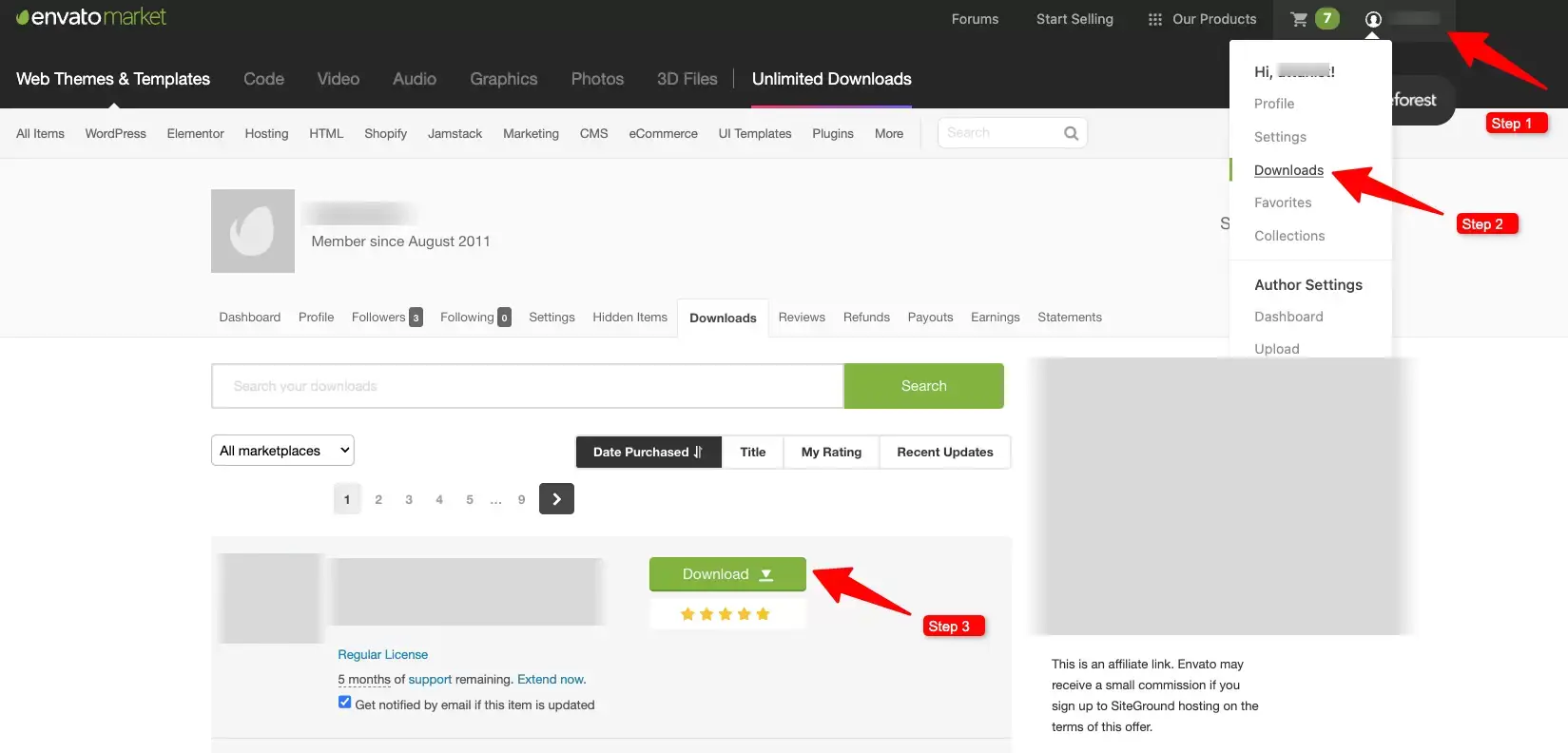
- Log in to your Envato Market account.
- Hover over your username in the top-right corner of the screen.
- Click ‘Downloads’ from the dropdown menu.
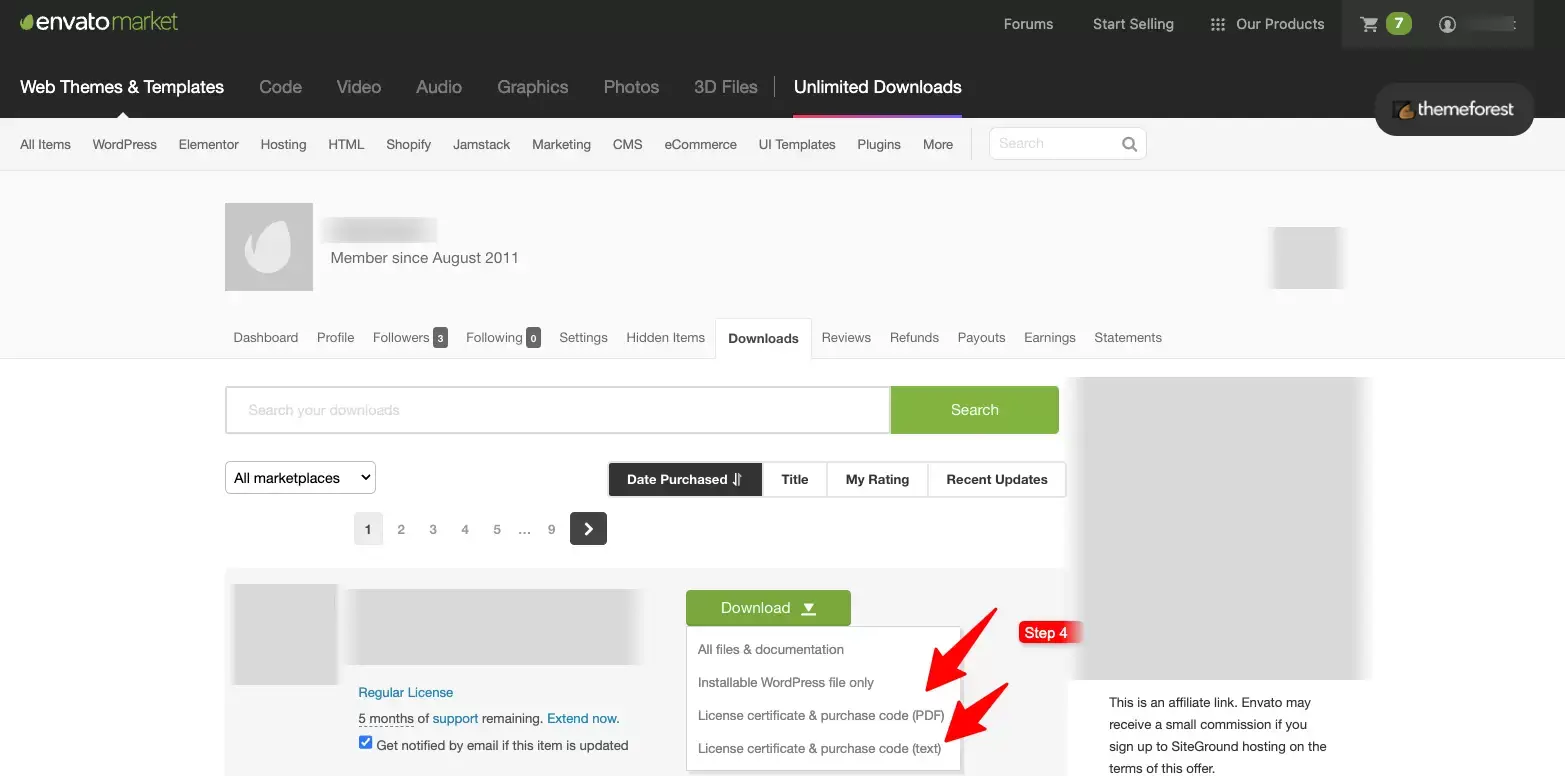
- Locate the item you need the purchase code for, and click the ‘Download’ button next to it.
- From the download options, select: ‘License certificate & purchase code.’
(Available in PDF or text file format.)
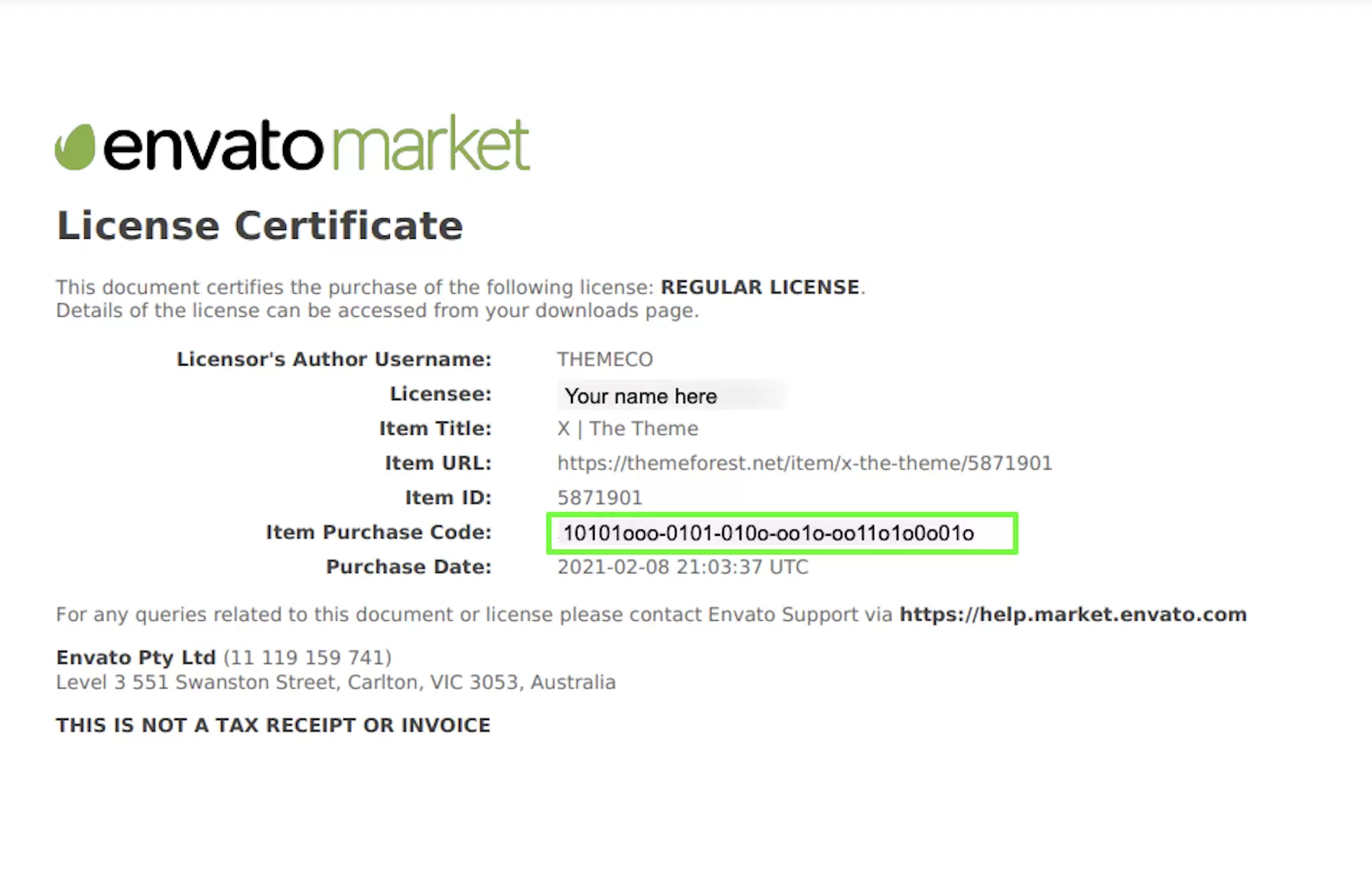
Example: PDF License Certificate with Purchase Code
Below is a sample preview of a license certificate downloaded from Envato!
Note: Keep your purchase code safe, as it may be required for support requests, product activation, or license verification.